
AlfaOBD
AlfaOBD AutodiagAuto & Vehicles
3.5621.00 Reviews
- Version
- 2.4.4.0
- Installs
- 100.00K
- Age Rating
- Everyone
Screenshots
Our Review of AlfaOBD
 Analysis by Appyee
Have you ever wished you could have a mechanic in your pocket? Well, that's pretty much what AlfaOBD brings to the table. This app is a must-have for anyone who loves tinkering with their vehicles, particularly if you own an Alfa Romeo, Fiat, or Chrysler. Let me walk you through my experience with this handy tool.
First Impressions
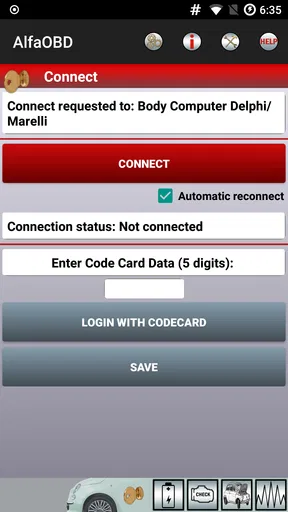
At first glance, AlfaOBD might seem a bit overwhelming, especially if you're not used to dealing with car diagnostics. But fear not, the app is actually quite user-friendly once you get the hang of it. The setup process is straightforward. Download the app, connect it to your OBD interface, and you're ready to start diagnosing.
Getting Started
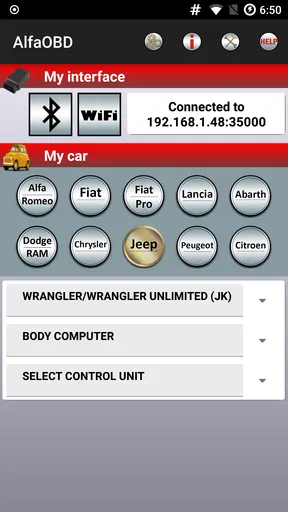
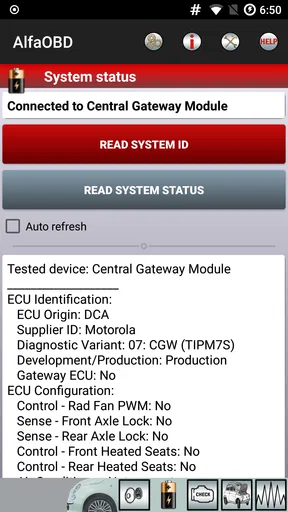
After installation, I was greeted with a clean interface. The app immediately recognizes the vehicle's ECU and starts pulling data like a pro. You can easily switch between different car brands supported by the app, which is a nice touch if you happen to own multiple vehicles.
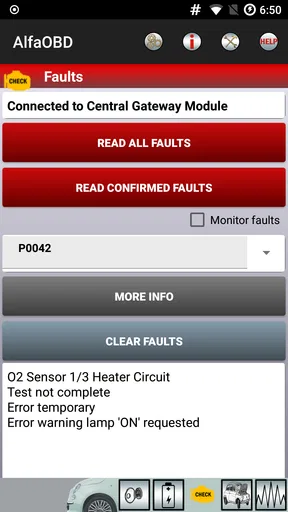
One of the first things I did was check the fault codes. It's as simple as tapping a button, and voila! You're presented with a list of codes, each with a brief description. No more guessing what that pesky engine light means.
Features Galore
AlfaOBD is packed with features that cater to both novice and experienced users. Some of my favorites include:
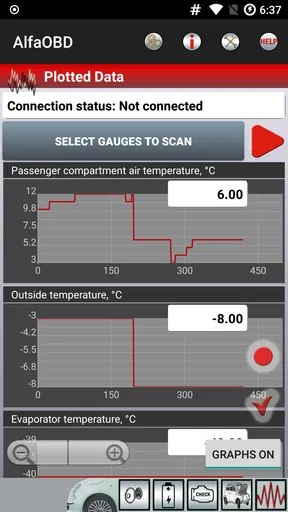
- Live Data Monitoring: You can view real-time data from various sensors. This is super helpful when you're trying to diagnose a problem on the fly.
- Actuator Tests: This lets you test different components to ensure they're working correctly. Perfect for troubleshooting issues before they become costly repairs.
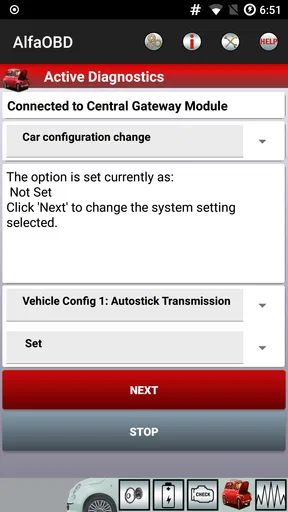
- Customization: Adjust settings and configurations that are otherwise locked. Want to tweak your car’s security settings? Go for it!
Performance and Compatibility
Performance-wise, the app runs smoothly on both Android and iOS. I tested it on an Android device, and it was snappy and responsive. Just make sure your OBD adapter is compatible; the app provides a list of recommended adapters, which is a lifesaver.
Compatibility with various models is another strong suit. While it primarily targets Alfa Romeo, Fiat, and Chrysler, it does support a range of other brands, making it versatile.
User Experience
Using AlfaOBD feels like having a secret weapon in your car maintenance arsenal. It provides insights that are typically reserved for dealership mechanics. With a little patience and curiosity, you can unlock your vehicle's full potential.
The app's community is active and supportive. I found the forums and user guides particularly helpful when I hit a snag. It’s always nice to know there’s a community backing you up.
Final Thoughts
Overall, AlfaOBD is a powerful diagnostic tool that puts the power of a car technician right in your hands. It's not just for gearheads; even casual drivers can benefit from its features. Whether you're looking to save on repair costs or just want to understand your car better, this app is a worthwhile investment.
If you're ready to take control of your vehicle's maintenance, give AlfaOBD a spin. You might just find yourself wondering how you ever got by without it.
Verdict
Strengths of AlfaOBD
- Comprehensive diagnostics for various vehicles.
- User-friendly interface for easy navigation.
- Supports a wide range of car models.
- Regular updates with new features.
- Detailed error code explanations.
Limitations of AlfaOBD
- Limited functionality for some car brands.
- Requires in-app purchases for full features.
- Can be complex for beginners.
- No offline mode available.
- Occasional connectivity issues with devices.
Similar Picks in This Category
View All
Android Auto
Google LLC4.1

maxim — order a taxi & food
PT. SITO4.7

Штрафы ГИБДД: проверка с фото
Pays LLC – Штрафы ГИБДД4.7

Номерограм – проверка авто
Авто Ассист4.8

Дром Авто
Дром4.9

Frequently Asked Questions
What is AlfaOBD and how does it work?
AlfaOBD is a diagnostic software designed for Fiat, Alfa Romeo, Lancia, Chrysler, Dodge, and Jeep vehicles. It allows users to perform advanced diagnostics, monitor systems, and customize settings. The app connects to your vehicle using an appropriate OBD interface, enabling users to access a wide range of diagnostic functions similar to those available at a dealership.
Is AlfaOBD compatible with my vehicle?
AlfaOBD is compatible with many Fiat, Alfa Romeo, Lancia, Chrysler, Dodge, and Jeep models. However, compatibility can vary based on the model and year of your vehicle. It’s recommended to check the app’s official website or user manual to confirm compatibility with your specific vehicle before purchasing or using the app.
What kind of OBD interface do I need for AlfaOBD?
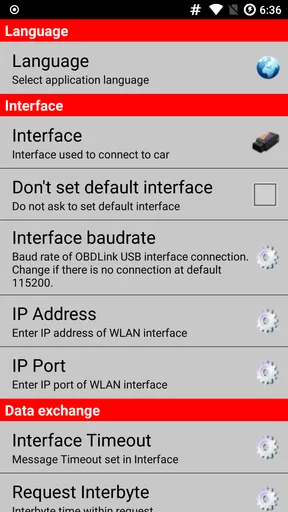
To use AlfaOBD, you’ll need a compatible OBD interface, such as ELM327 or OBDLink. It’s crucial to ensure that the interface supports the protocols used by your vehicle. Wired and Bluetooth interfaces are available, but choosing a reliable and compatible interface is essential for seamless operation with the app.
Can AlfaOBD customize vehicle settings?
Yes, AlfaOBD allows customization of various vehicle settings, such as enabling or disabling features, adjusting system parameters, and configuring new functionalities. However, these features should be used with caution, as incorrect settings can affect vehicle performance. Always ensure you understand the changes you are making.
Is AlfaOBD easy for beginners to use?
While AlfaOBD offers a user-friendly interface, it does require some basic understanding of vehicle diagnostics and systems. Beginners may find the initial learning curve challenging, but the app provides detailed instructions and support. Many users recommend starting with simple diagnostics before exploring more advanced features.
